
The Breadcrumb Widget in the BlogNews Elementor Add-on helps display a clear navigation path on a website.
It enhances user experience by showing visitors their current location within the site’s structure and provides quick navigation back to previous pages.
This widget supports popular breadcrumb plugins and offers extensive styling options for seamless integration into any design.
How to Use
- Open any page, header, or template in the Elementor editor.
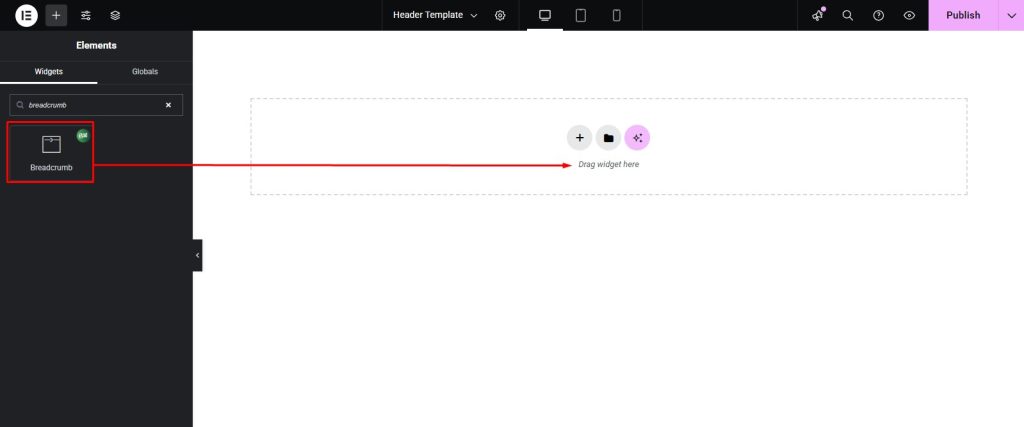
- Locate the Breadcrumb Widget under the BlogNews section in the widget panel.
- Drag and drop it into the desired location, usually at the top of a page or below the header.
- Select the breadcrumb source plugin and adjust alignment settings.
Content Setting
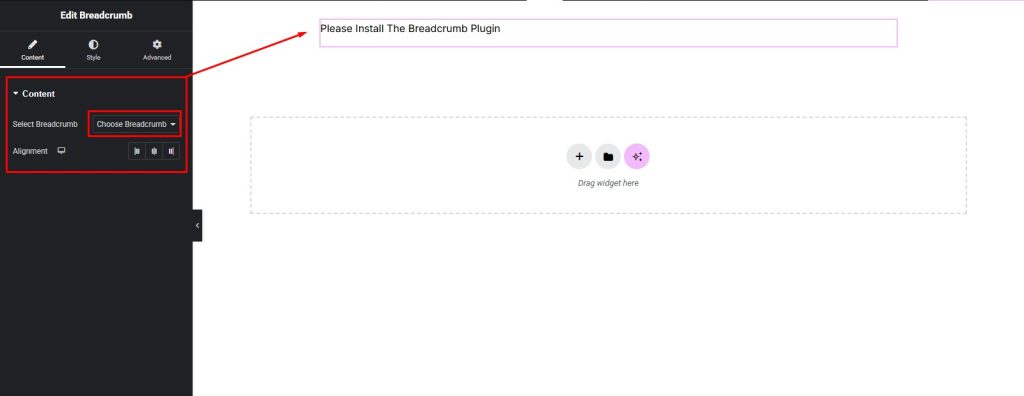
The Breadcrumb Widget provides easy configuration options:
- Choose Breadcrumb Source: Select from supported breadcrumb plugins (e.g., Yoast SEO, Rank Math, NavXT, and others).
- Alignment: Align the breadcrumb trail to Left, Center, or Right based on the design.
Styling Setting
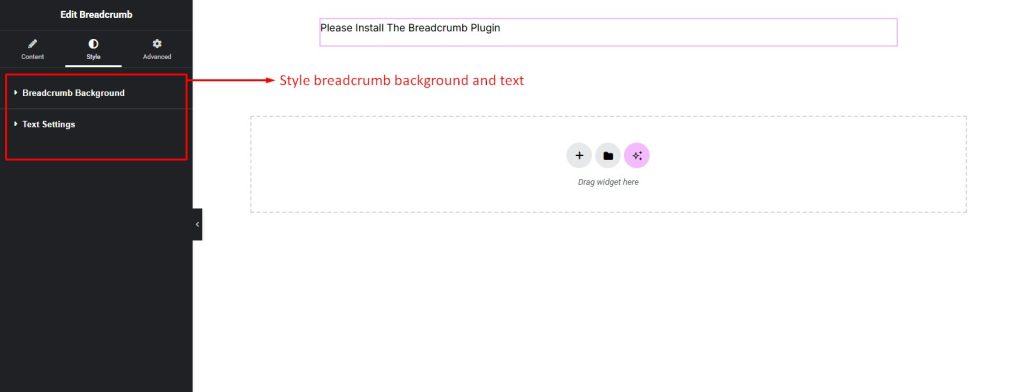
The Breadcrumb Widget offers powerful design customization:
- Container Styling:
- Set a background image or background color for the breadcrumb bar.
- Customize border, border-radius, padding, margin, and box shadow for enhanced presentation.
- Text Styling:
- Control breadcrumb text color, hover color, and active item color.
- Adjust typography settings, including font family, size, weight, spacing, and line-height.
- Apply text-shadow for added emphasis.
- Responsive Settings: Apply separate styles for Desktop, Tablet, and Mobile views.
Pro Tip
- For clean design, center alignment works best on minimal layouts, while left alignment is ideal for traditional blog and news sites.