
How to Activate Your License Key
To unlock all premium widgets and features of BlogNews For Elementor Pro, you must activate your license key. Follow the steps below:
Step 01:
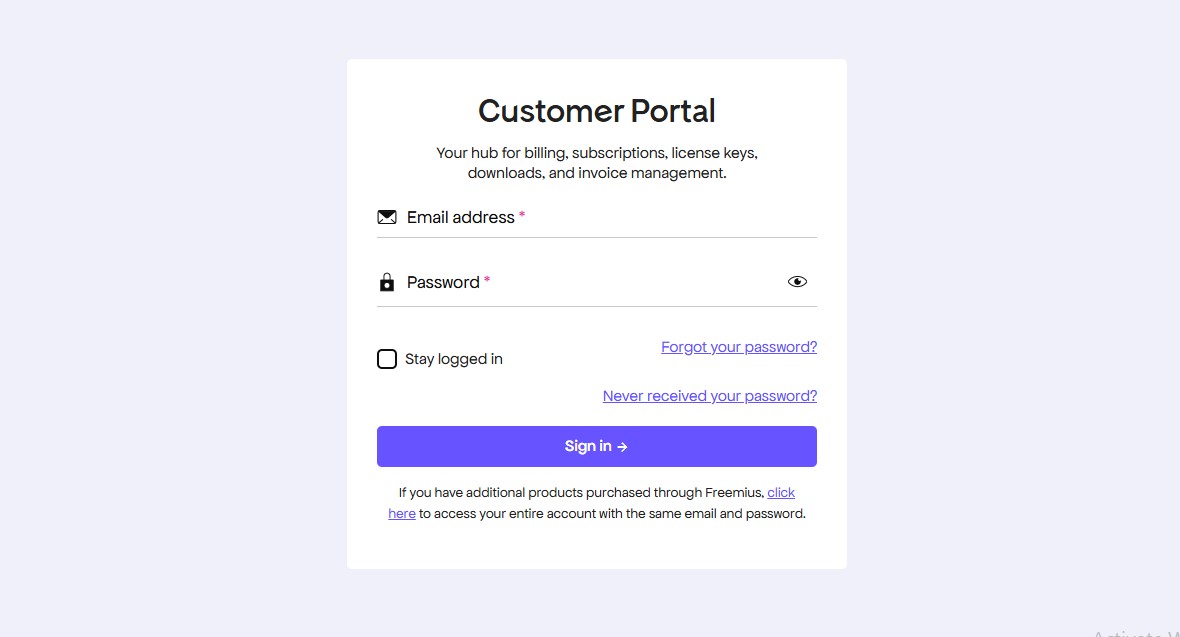
Log in to https://themeansar.com/account/
Visit the BlogNews Account Dashboard (powered by Freemius) and log in using the same email you used at checkout.
Step 02:
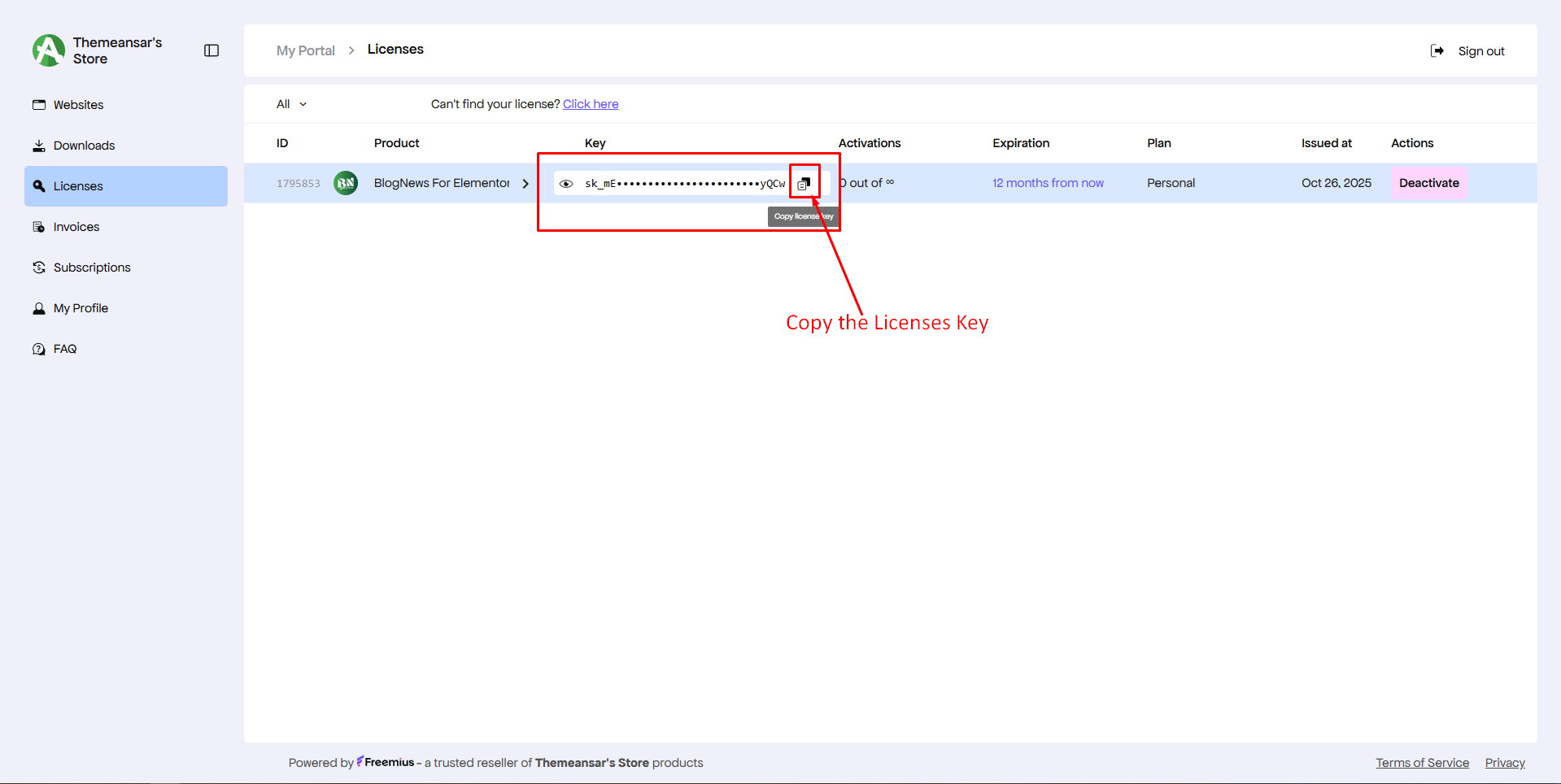
Copy Your License Key
Once logged in, open the Licenses tab in your dashboard. You’ll see your BlogNews For Elementor Pro license key listed there. Copy the key for activation.
Step 03:
Activate the License
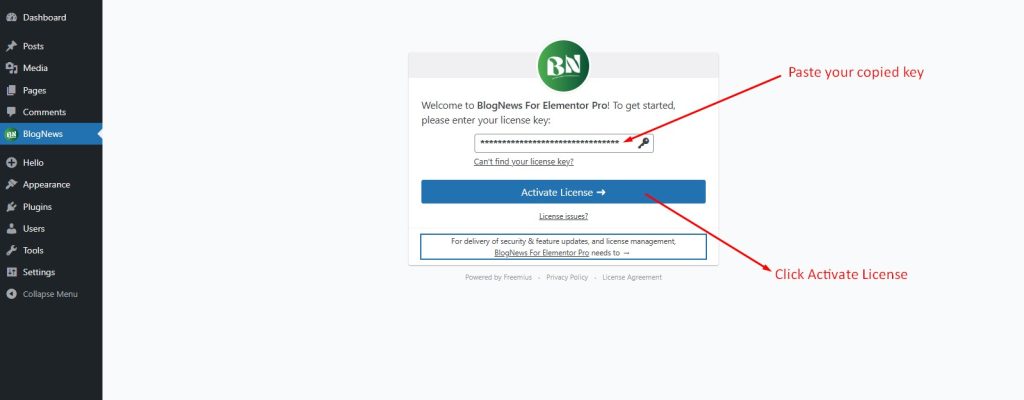
Paste your copied key into the box and click Activate License. Freemius will verify your license automatically.
✅ That’s it! Your license is now active, and all Pro widgets, templates, and customization options in BlogNews For Elementor Pro are ready to use.