
📥 Demo Import via Starter Sites (Step by Step)
The Starter Sites feature in BlogNews for Elementor allows you to quickly import a complete demo site — including pages, layouts, and widgets — so you can get started instantly.
Follow these steps to import a demo:
Step 1:
After activating the BlogNews for Elementor Plugin, Go to the BlogNews Dashboard.
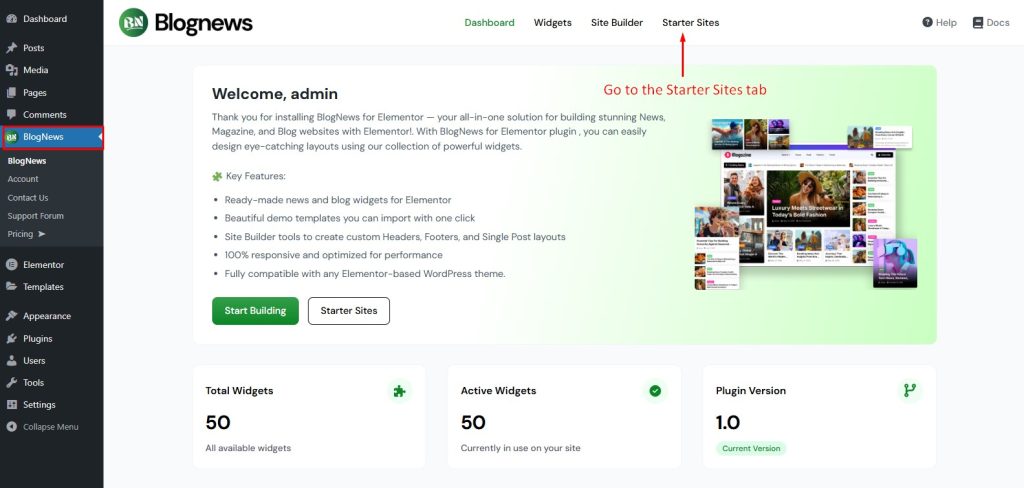
Step 2: Open Starter Sites Tab
Navigate to the Starter Sites tab, install and activate Ansar Import, then click on View demos.
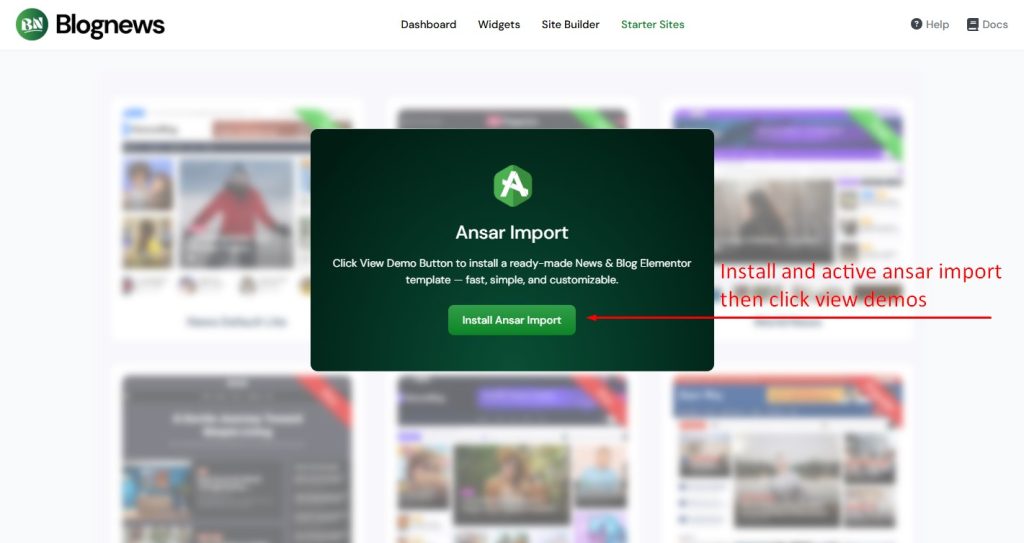
Step 3: Preview the Template
Hover over any template and click Preview to see how it looks. This helps you choose the demo that best fits your website style and needs.
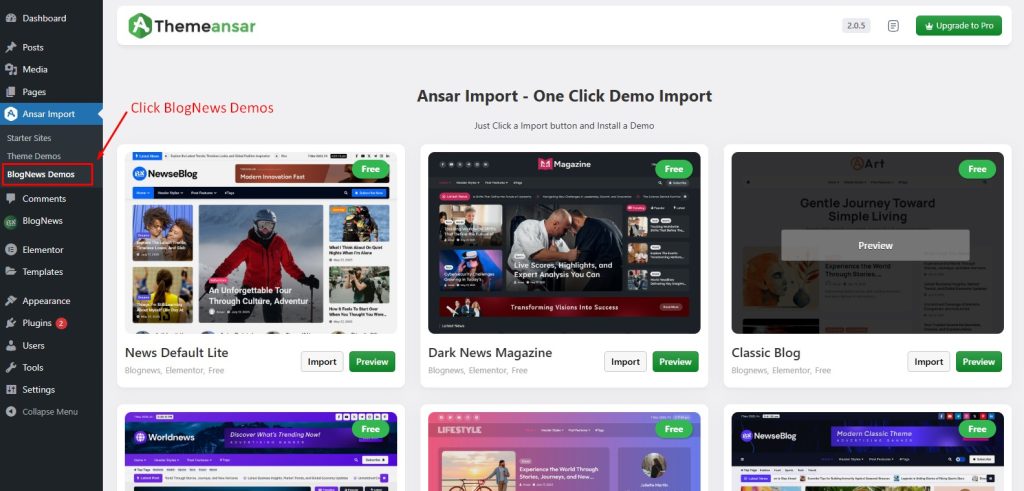
Step 4: Import the Demo
Click the Import button, the demo import process will begin automatically. Depending on your template, it may take a few minutes. The importer will add all necessary pages, widgets, and layouts.