
The Breadcrumb Widget in Ansar Elements helps visitors understand their current location on your website by displaying a navigation path. It improves navigation and allows users to quickly move back to parent pages, categories, or the homepage.
How to Use
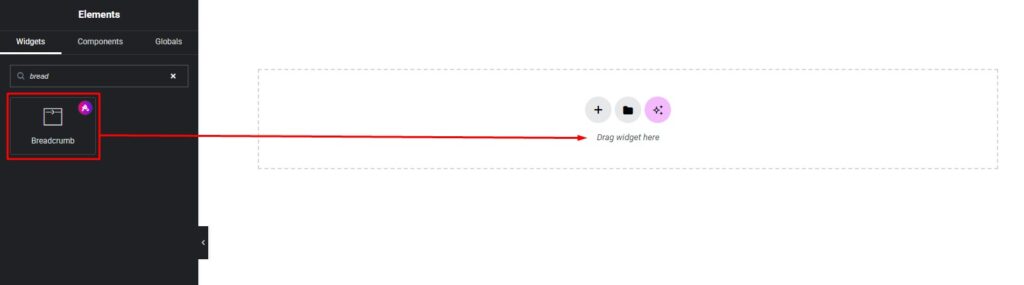
- Open any page, header, single post, archive page, or template using Elementor Editor.
- Locate the Breadcrumb Widget in the Ansar Elements widget section.
- Drag and drop the widget into your desired section.
Content Settings
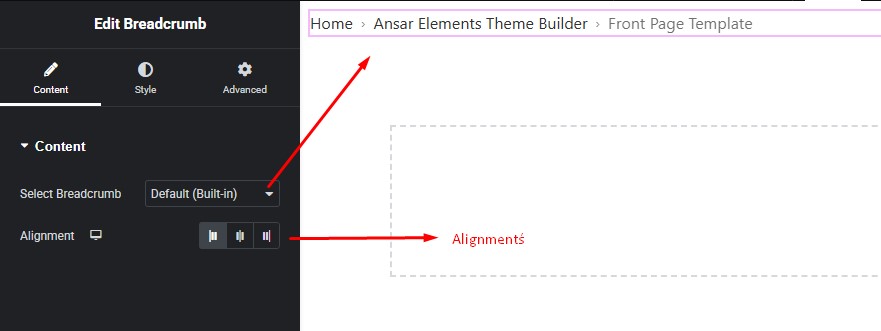
The Breadcrumb Widget provides the following option:
- Choose Breadcrumb Source – Select from supported breadcrumb plugins, such as:
- Yoast SEO
- Rank Math
- Breadcrumb NavXT
- Other supported breadcrumb plugins
The widget automatically displays breadcrumbs from the selected plugin.
Styling Setting
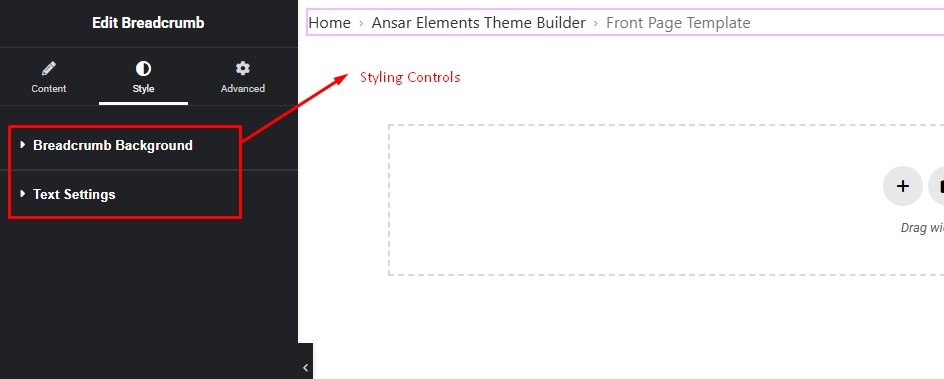
Customize the breadcrumb appearance using Elementor controls:
- Typography – Adjust font family, size, and weight
- Text Colors – Customize normal and hover colors
- Spacing – Control spacing between breadcrumb items
- Border & Background – Add borders and background styles
- Responsive Controls – Customize separately for Desktop, Tablet, and Mobile
Pro Tip
- Place breadcrumbs near the top of single posts and archive pages to improve navigation and provide visitors with a clearer browsing experience.