
The Live Search Widget is part of the Ansar Elements.
It provides an interactive search experience by displaying search results instantly while users type in the search field. The widget helps visitors quickly find content without reloading the page and can be added anywhere inside Elementor templates such as headers, footers, or custom sections.
How to Use
- Open any page, header, footer, or custom template in the Elementor Editor
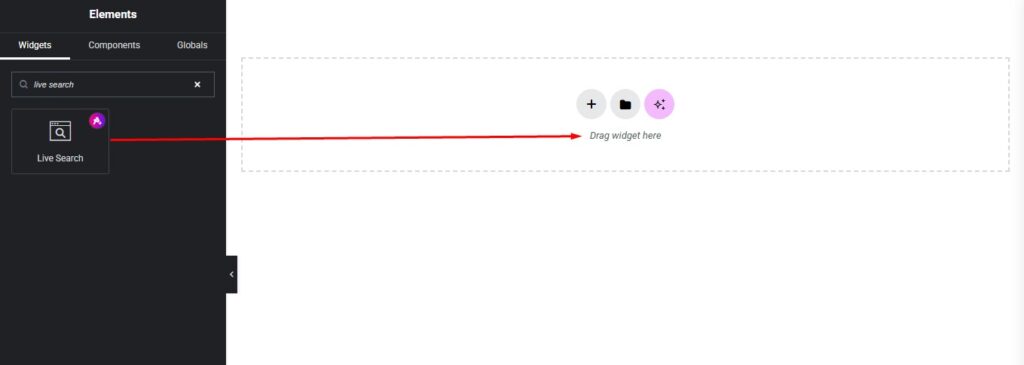
- Locate the Live Search Widget in the Ansar Elements section of the Elementor widget panel
- Drag and drop the widget into the desired area
- Configure search settings and customize styling options
Content Setting
The Live Search Widget provides flexible content settings:
Search Box
- Layout – Select search layout style (Icon / Search Field / Button Style)
- Placeholder Text – Add custom placeholder text (e.g., “Type Here & Search…”)
- Width – Control search box width
- Height – Adjust search box height
- Box Shadow – Apply shadow effects
- Alignment – Left, Center, or Right
Styling Setting
The widget includes advanced styling controls:
Content Box
Customize the main search container:
- Background Color
- Border Type
- Border Radius
- Padding
- Box Shadow
Search Icon
Customize icon appearance:
- Icon Size
- Color
- Hover Color
- Spacing
Input
Customize input field styling:
- Typography
- Text Color
- Background Color
- Border Style
- Border Radius
- Padding
Button
Customize search button appearance:
- Button Colors
- Typography
- Border Settings
- Hover Effects
Reset Icon
Customize reset/clear button:
- Icon Color
- Hover Color
- Size
Ajax Search Image
Customize search result thumbnails:
- Image Width
- Height
- Border Radius
- Spacing
Ajax Search Title
Customize result title appearance:
- Typography
- Text Color
- Hover Color
- Spacing
💡 Pro Tip
For header designs, use the Icon Layout to save space, and enable Ajax search results with thumbnails for a richer and faster search experience.