Step 0 – Go to Appearance > customize
Step 1 – Go to Homepage Settings
Step 2 – Go to Client Setting
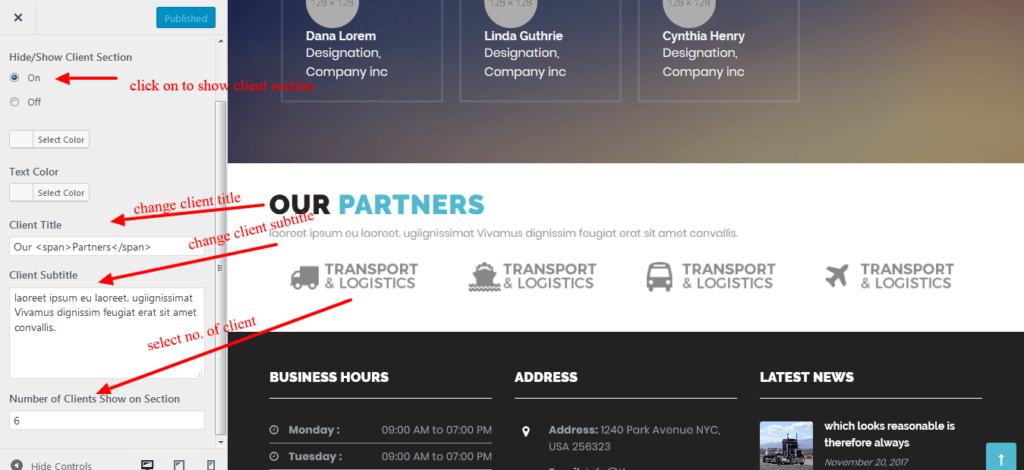
How to add Client Widgets
Step 0 – Go to Appearance > Widgets
Step 1 – Client widget Drag and Drop Into Clients Section Widgets
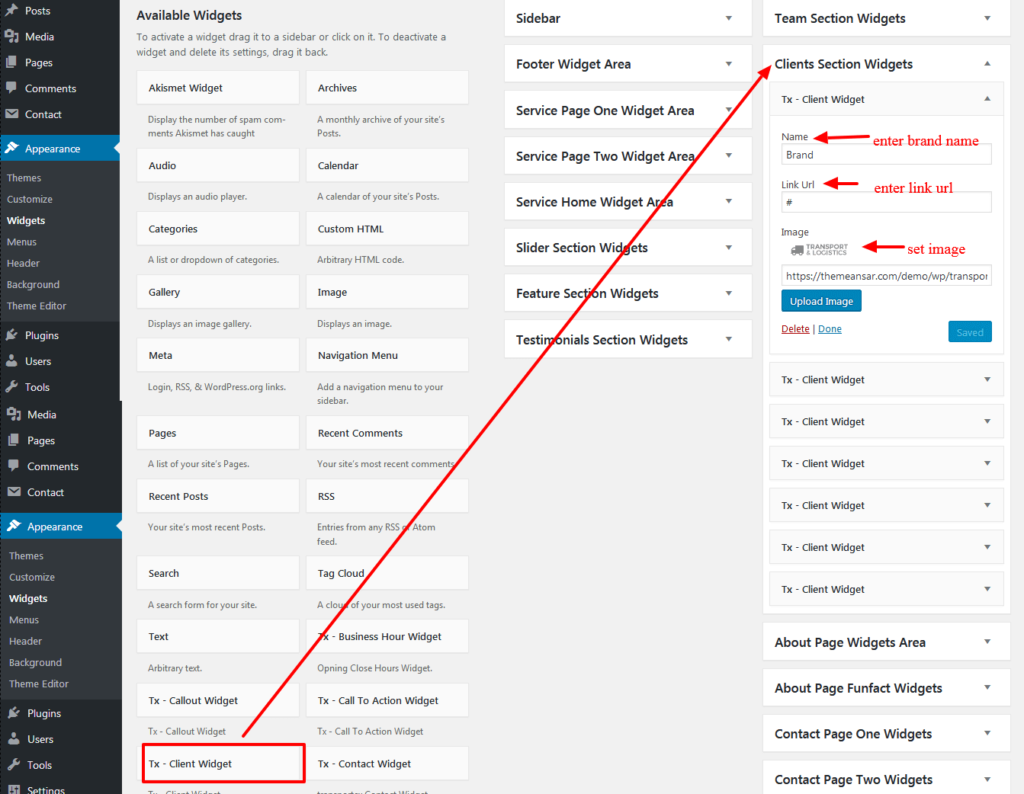

Step 0 – Go to Appearance > customize
Step 1 – Go to Homepage Settings
Step 2 – Go to Client Setting
Step 0 – Go to Appearance > Widgets
Step 1 – Client widget Drag and Drop Into Clients Section Widgets